C.1 Microsoft 365 Single Sign On
Users can log in with a microsoft work account on the Contact apps like Contact Desktop, Qboard or Contact App for Microsoft Teams. The user needs to accept the permission request of the app.
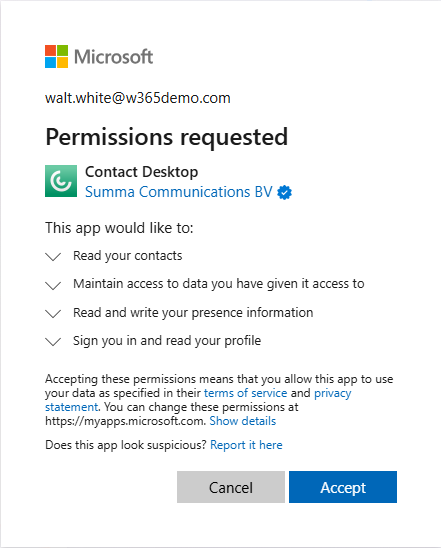
As the administrator you need to grant permissions in the Microsoft Entra Admin Center.
Please note that the steps described below may vary depending on the current status and changes in the Microsoft Entra admin centre.
To assign a user to a Contact application
 In Entra AD an application is created in your Microsoft Tenant with the user that logged in.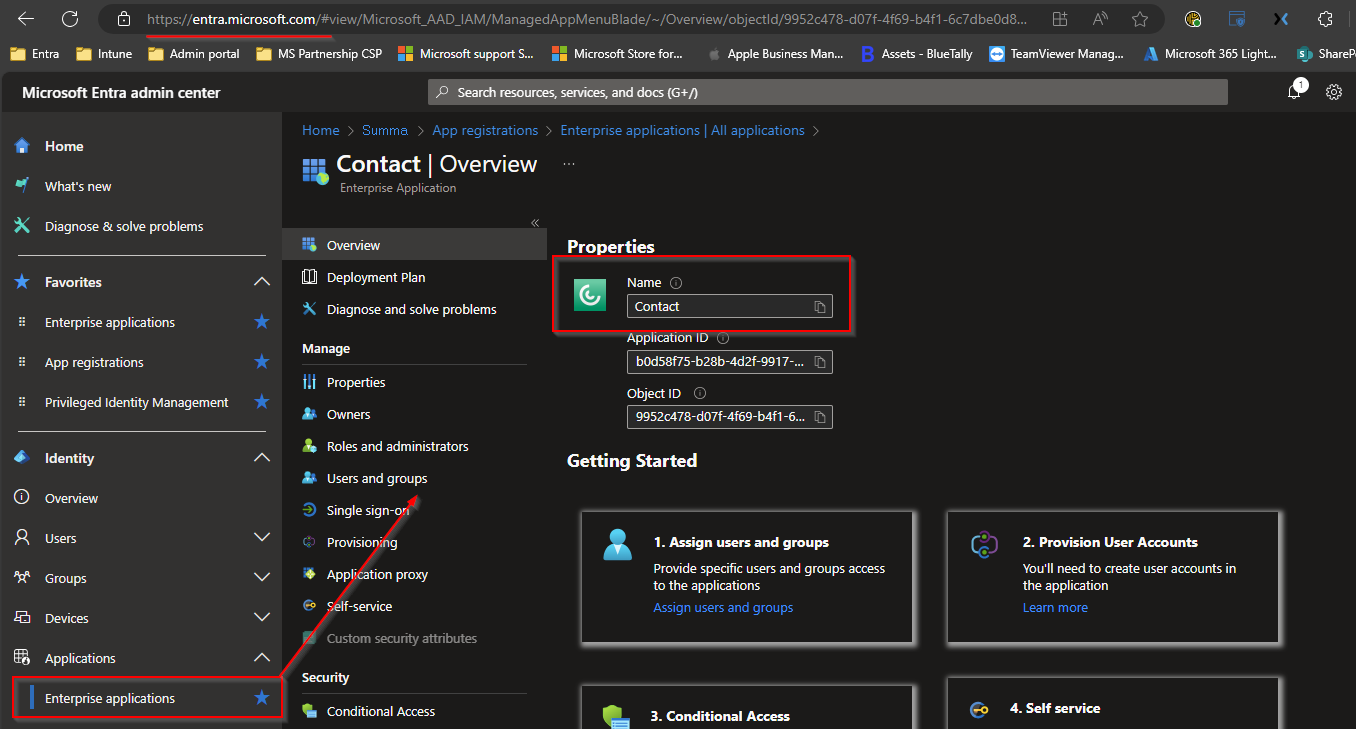
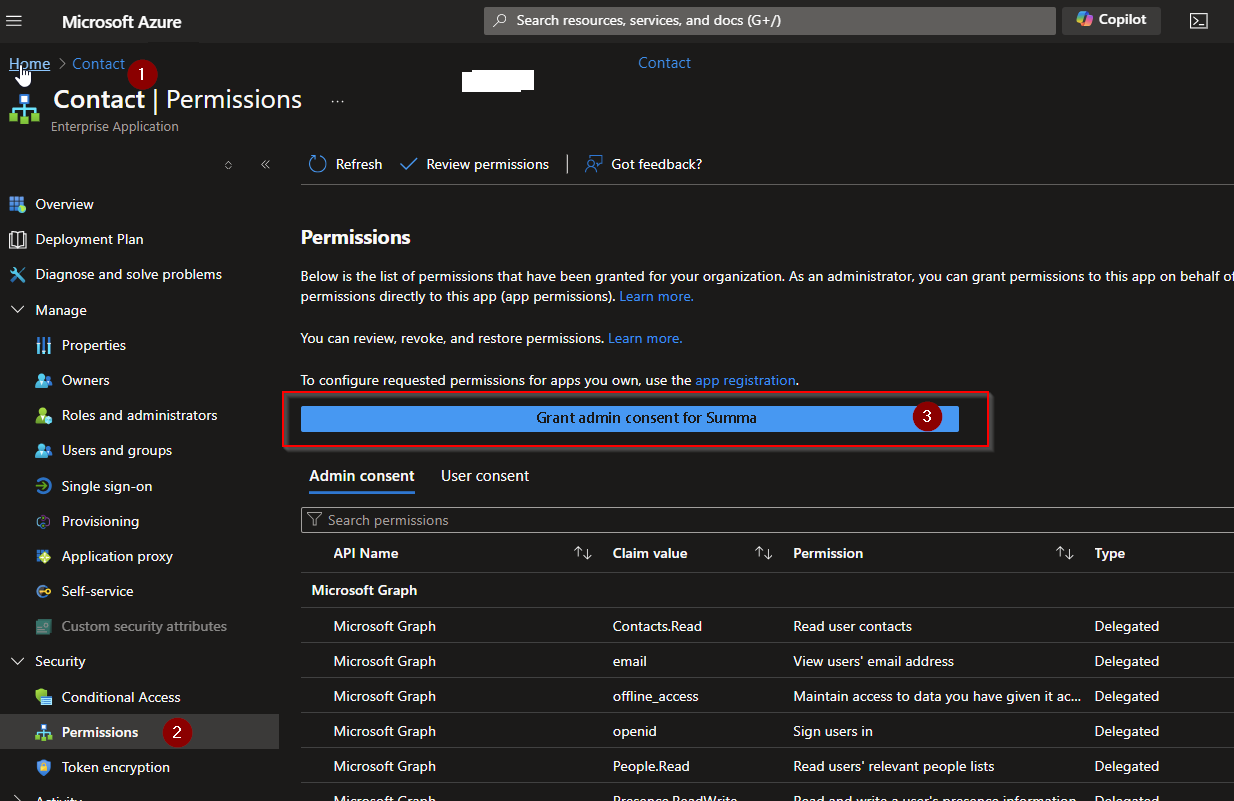
Overview of all admin permissions that are required for full feature scope under Admin consent:
Claim value | Permission |
|---|---|
Contact.Read | Read user contacts |
email | View users’ email address |
offline_access | Maintain access to data you have given it access to |
openid | Sign users in |
People.Read | Read users’ relevant people lists |
Presence.ReadWrite | Read and write a users presence information |
profile | View users’ basic profile |
User.Read | Sign in and read user profile |
User.ReadBasic.All | Read all users basic profiles |
User.Read.All | Read all users full profiles |
Overview of all user permissions that are required for full feature scope under User consent:
Claim value | Permission |
|---|---|
openid | Sign users in |
profile | View users’ basic profile |
offline_access | Maintain access to data you have given it access to |
Contact.Read | Read user contacts |
People.Read | Read users’ relevant people lists |
Calendars.ReadWrite | Have full access to user calendars |
User.ReadBasic.All | Read all users’ basic profiles |
Presence.ReadWrite | Read and write a users presence information |
email | View users’ email address |
User.Read | Sign in and read user profile |
Presence.Read | Read users presence information |