2 User Interface
The user interface of the browser-based application is designed to be clear and intuitive, giving you quick access to all essential communication features directly in your web browser.
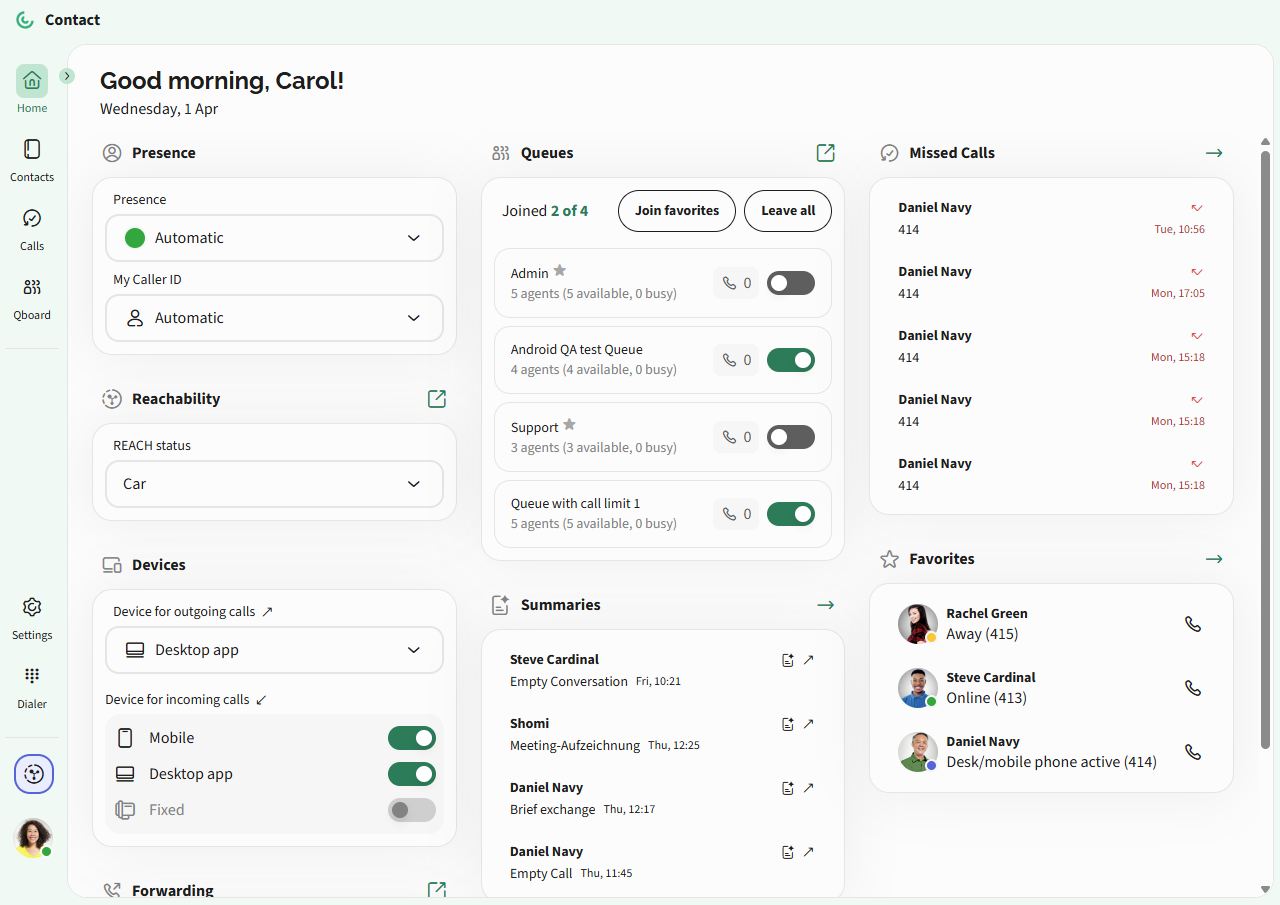
 Overall overview on the Home screen. Here you can find all information, such as presence, call forwarding, missed calls, active call queues, REACH status, favorites as well as summaries generated by Shomi - Your Personal AssistantManage your Contacts - search and view contact detailsView recent Calls - see your call history and quickly redial or return missed callsUse Qboard - monitor and manage queue activity (if included in your subscription) Adjust Settings - customize how calls are handled, integrate external services, manage your availability, and configure audio devices to suit your needsAccess your Profile – adjust your presence status, choose devices for incoming and outgoing calls, set your REACH status (override), and change the interface language